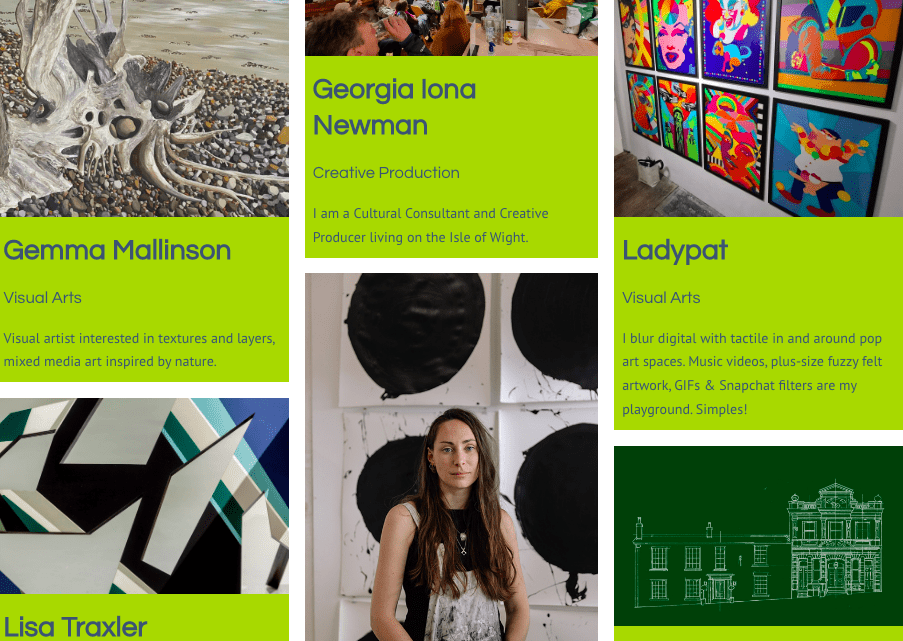
So here’s the missing piece of the website jigsaw puzzle! Our Directory for IW Creatives has landed!
Please follow the guidance below, and/or check out this video on how to get your profile page uploaded to the IW Creative Network Directory:
First things first, go to the IW Creative Network website and login (top right): https:
Once logged in go to: https:/account/edit-profile/
This will take you to your editing page for your profile. Have a look at the areas that need to be completed and my advice would be to create a document containing all of your text, so you can copy/paste and upload with ease.
Click ‘individual’. (Organisations will soon be invited to have a profile page listing their venue i.e co-working spaces, artist studios, galleries or a recording studio - that sort of thing. So we’ll be linking people to place. And if any of these cultural organisations want to promote what they do or have any new opportunities coming up and need to employ creatives - this is a great place to find you, and likewise - its a great place for you to find them.)
Select a large banner/header image. This image will sit at the top of your profile. Ideally it'll be 1920px (w) x 1080px (h) and max 3MB file size. (Please note, image size will vary depending on device used to view profile.)
Enter all relevant details.
Anything with an ‘red star’ * needs to be completed.
Anything that says ‘public’ next to it will appear on your public profile on the website. So if your public artist name is different to your first and last name - make sure to pop that in there.
You don’t have to enter your address, but if you don’t mind having your address public, have an open studio/shop and welcome visitors, please do pop this in and a Google map will appear at the bottom of your profile page of that area. I entered ‘Cowes, Isle of Wight’ and it focussed in on Cowes (which is handy if anyone is coming to meet up and wants to find parking and coffee shops). But if you want, you can just leave this blank and no map will appear.
Select your creative discipline. Be sure to select your main one, and of course if your practice varies, select ‘multidisciplinary’. We created these filters based on the individuals that have joined the network in 2022.
Your mini bio will appear at the top of your profile page in big, bold letters under your name and discipline. This needs to be 150 max character count (with spaces). So be really succinct with this.
Then enter your full bio. Note: make sure to include any words or phrases that you’d like to be found online for. This is 1000 max character count (with spaces). You can get quite creative with this and include hyperlinks to maybe your CV from your website or current projects you’re working on. There are also simple formatting options available.
For your links to websites and socials i.e. Website/Instagram/YouTube/TickTock etc - please only put in your main ones that you are consistent with and that make sense (so don’t put your personal Facebook if you only want family/friends to follow you).
Then finally upload a max of x6 images. At the moment it says to ‘title your image files as the captions you would like them to be read, as they will be public’. But we’ve actually removed this feature because there were hyphens appearing in every space of the image title. But we hope to bring this back once solved. So just make sure to not give your image files silly titles. Make sure they are all 2MB max each. Go to the Compressor site if you’re struggling to reduce your file size. Its really good at making images smaller: https://compressor.io/
And that’s it! Click submit and then to view your profile, go to https:/directory/ and click on your profile.
You can then make further edits on your profile page by going to 'You' at the top menu bar. Click 'Edit Profile' and voilà!
Please note, your username which you first used to sign up as member, will become part of your URL web address for your public profile page. I.e if your username is JoeBloggs, the URL will be: https:/directory/JoeBloggs/profile/
If you would like to change the ending of your URL or have any other troubles or concerns with uploading to your profile page, please email , please email georgia@creativeisland.org and let us know. Thanks!